Ask Shopify Sidekick about your ID verifications
Real ID now works with Shopify Sidekick, the AI assistant built into your Shopify admin.
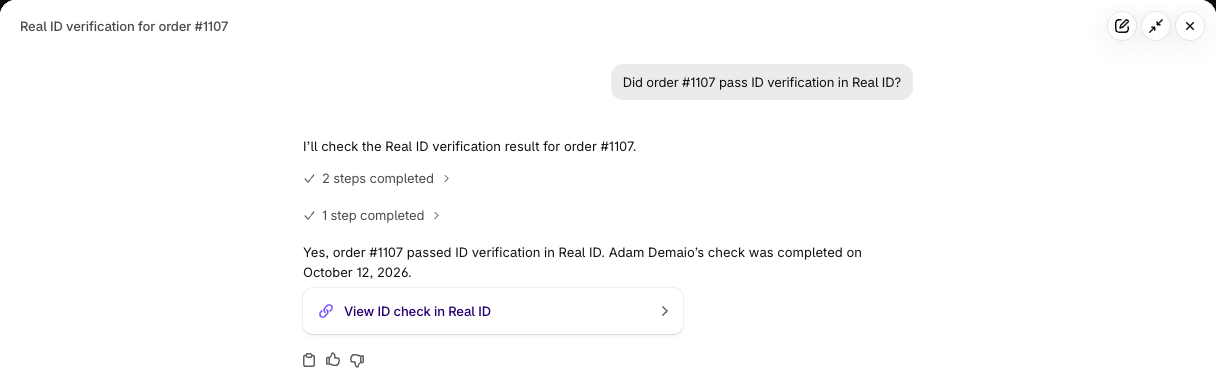
Instead of opening Real ID and searching for an order, you can ask Sidekick in plain English: "Did order #1107 pass ID verification?" or "Which checks need my review?" Sidekick looks it up in Real ID and answers in seconds, with a link straight to the ID check.
There's nothing to set up. If Real ID is installed on your Shopify store, Sidekick can already use it.
What you can ask
Check on an order or customer. "Did order #1107 pass ID verification in Real ID?" Sidekick tells you if the check passed, failed, is waiting on the customer, or needs your review. If a customer verified on an earlier order, Sidekick mentions that too.
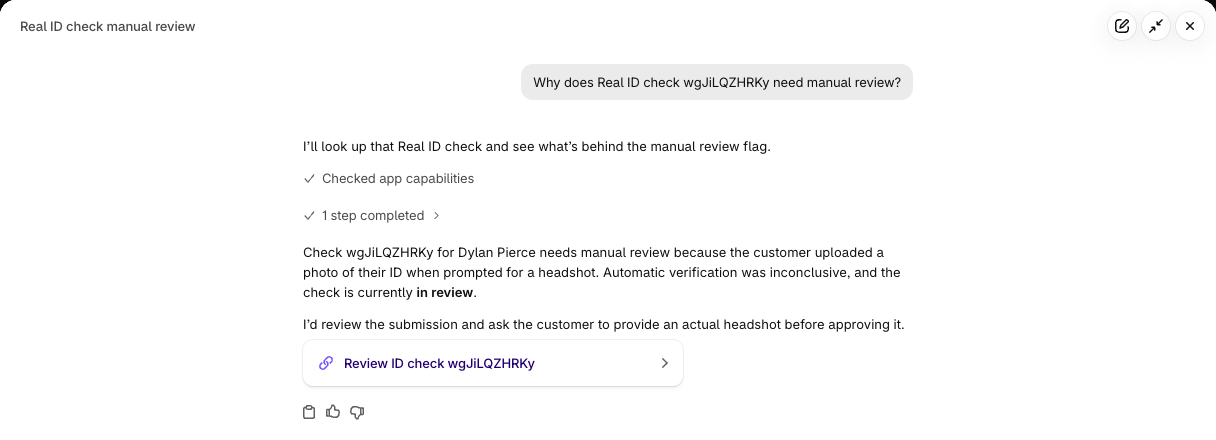
Find the checks that need you. "Which Real ID checks need my manual review?" or "Which customers haven't finished verifying yet?" You get a short list with the reason for each, so you know where to start.
Understand why a check failed. Sidekick explains failures in plain language, like "The customer provided an expired ID" or "This customer provided a photo of their ID when prompted for their headshot." When an automated check was inconclusive and no specific cause was recorded, Sidekick says so instead of guessing.
See which IDs are accepted. "Can my customers in Germany verify with their Personalausweis?" Sidekick checks the same list as our supported ID documents page, by country, document type, or state and province. It uses the names your customers know, like Personalausweis in Germany or DNI in Spain.
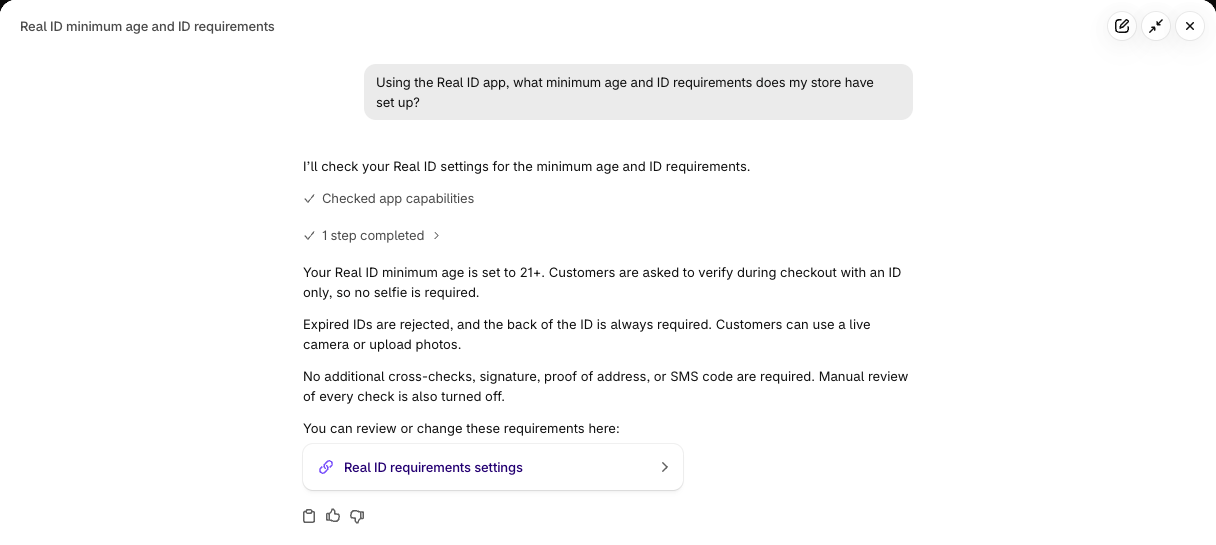
Check how Real ID is set up. "What minimum age and ID requirements does my store have?" Sidekick summarizes your Real ID settings in plain language: when customers are asked to verify, which orders need ID, and what's required, like a selfie or a minimum age. It links to the right settings page if you want to change something.
Your data stays where it belongs
ID verification involves sensitive information, so we built the integration to share as little as possible:
- Sidekick only sees a summary of each check: its status, the reason it failed, dates, and which order and customer it belongs to.
- Sidekick never sees ID photos, selfies, dates of birth, document numbers or addresses. To see those, you open the check in Real ID, just like before.
- Your staff permissions still apply. Sidekick answers as the staff member who's asking. Staff without permission to view ID checks in Real ID can't use Sidekick to get around it.
Try it now
Open your Shopify admin, select Work with Sidekick at the top of the page, and ask a question about your ID checks. Mentioning "Real ID" in your question helps Sidekick pick the right app.
Read the Shopify Sidekick guide for more example questions, how permissions work, and troubleshooting tips.
Don't have Real ID yet? Install it from the Shopify App Store to start verifying IDs before, during or after checkout.